 Lampworth
Free for iPhone and iPad
Calm, clear screen‑time rules for your family.
Choose the apps that rest at school time, homework time and bedtime on your child's iPhone or iPad. Your child can see the rules. Nothing leaves the device.
No account. No ads. Setting up takes about three minutes.
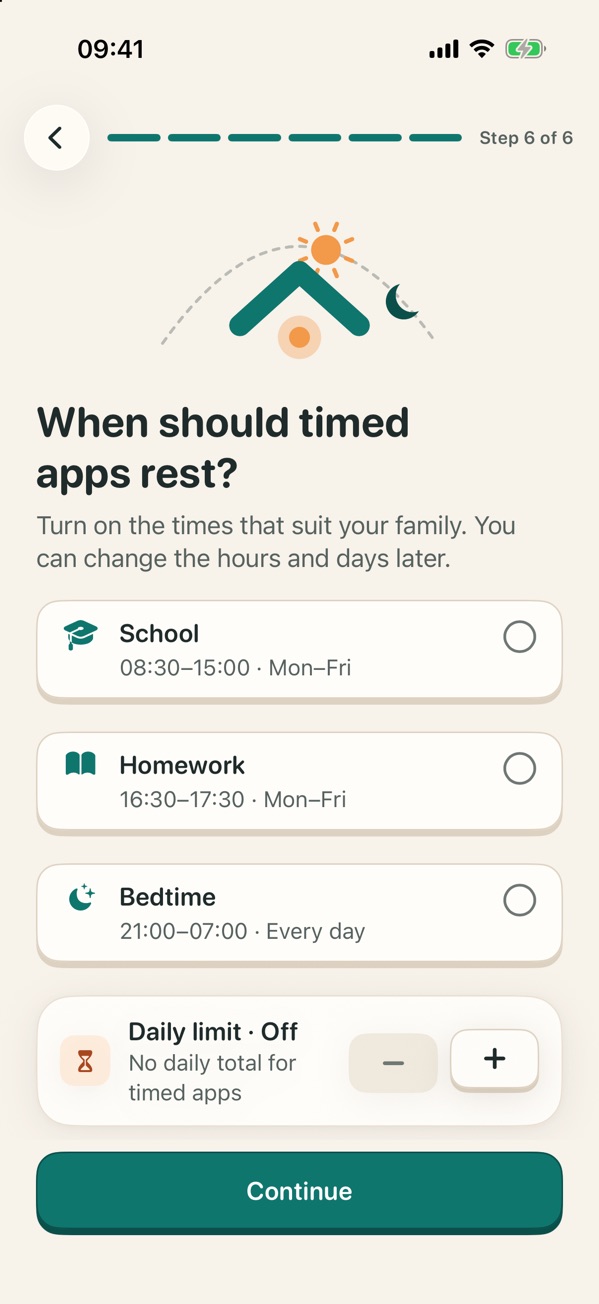
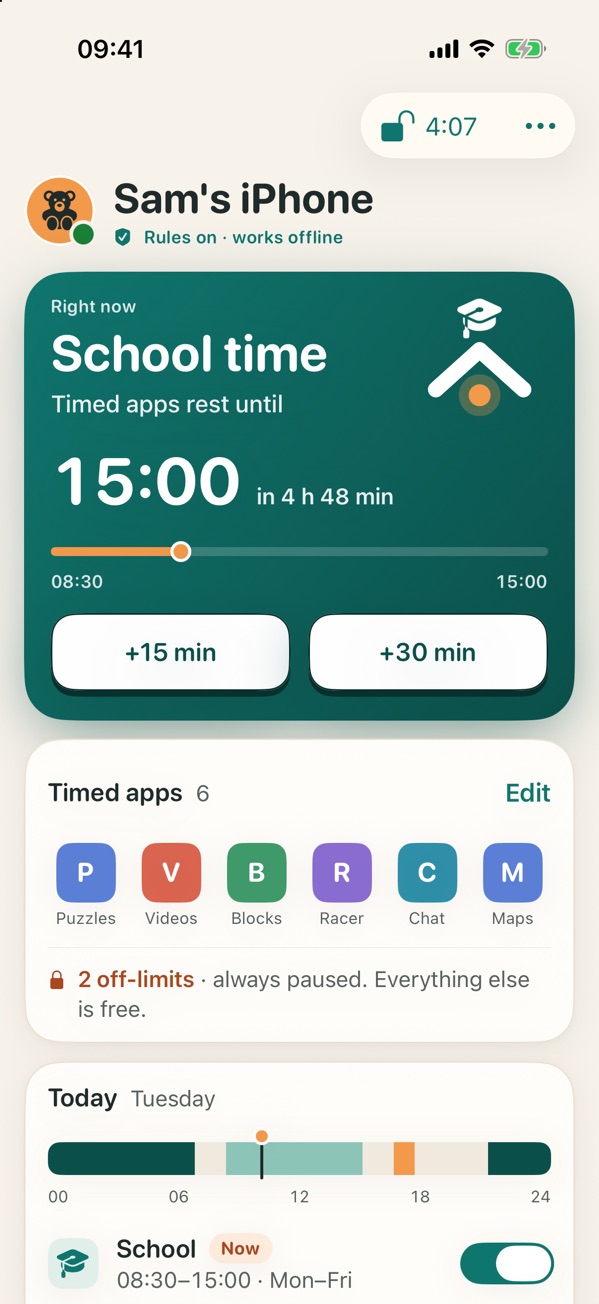
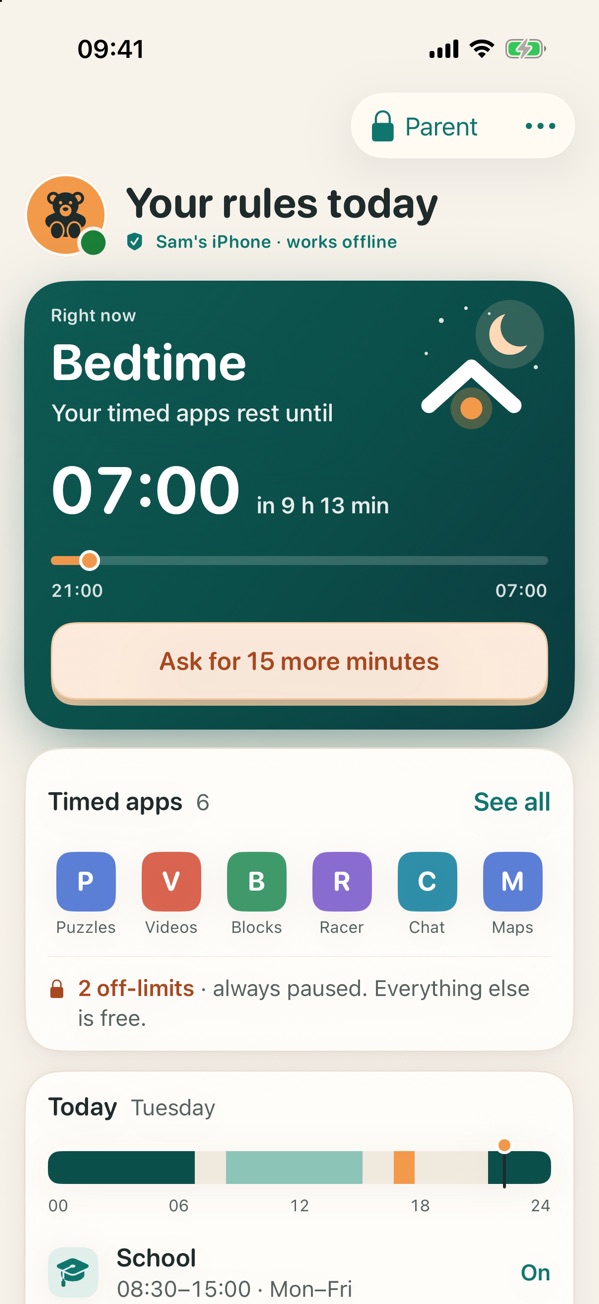
- 1 Turn on the times
- 2 Apps rest by themselves
- 3 Your child sees why
Rules a family can live with
Most arguments about screens are about surprises. Lampworth takes the surprise out: the same few rules, at the same times, where everyone can read them.
Your child sees the rules
They can open Lampworth and read what rests and when. The pause screen says why, and when the app is back. No hidden mode.
Works without internet
iOS keeps the rules on the device, even with Lampworth closed and no Wi-Fi. There is nothing to sync and nothing to lose connection.
No account, no data
Nothing is sent to us or to anyone else. No sign-up, no ads, no tracking. The rules live on the device and nowhere else.
How it works
Three steps, about three minutes
Choose the apps
Pick up to ten apps or websites: the ones that matter most. Each can be timed, or off-limits altogether. Everything else stays free.
Turn on the times
School, Homework and Bedtime, with your own hours and days. Timed apps rest during those times and come back by themselves. Add a daily limit if you want one.
Keep the PIN
Your PIN protects the rules. With it you can pause everything now, or give 15 or 30 more minutes when your child asks.
What Lampworth never sees
It sets times for apps. It does not watch what happens inside them, and it could not if it wanted to.
- Messages
- Photos
- What is typed or watched
- Websites visited
- Where the device is
- The names of the chosen apps
Free today. More on the way.
Everything above is free and stays free. Two bigger versions are being built: Pro, to manage your child's device from your own phone, and Max, for several children. Nothing can be bought yet, and you can tell us what you would use.
Guides for parents
Step-by-step pages, honest about what Lampworth does and what it does not.
Pause apps at bedtime
Choose the apps, set the hours and see what your child sees.
Stop apps during homework time
Rest the games for an hour and keep the apps the work needs.
Apple's Screen Time or Lampworth?
What both do, where Lampworth is different, and where Apple's tools do more.
Questions parents ask
What does Lampworth do?
You choose up to ten apps or websites on your child's iPhone or iPad, and the times when they rest: school, homework and bedtime. During those times the chosen apps show a calm pause screen that says when they are back. Everything you did not choose stays free.
Is it really free?
Yes. What is in the app today is free and stays free. Two bigger versions, Pro and Max, are being built and will be subscriptions; the plans page says what each will add. Nothing can be bought in the app today.
Does my child know the rules are on?
Always. Your child can open Lampworth and read every rule, and the pause screen says why an app is resting and when it comes back. There is no hidden mode, and there never will be.
The light left on at home
That is what the name means: someone at home is thinking of you. Rules set with care, in the open.